Moi Qatar Visa Print – Ministry of Interior, Qatar: The Complete Guide
Every year, hundreds of thousands of workers, visitors, and residents rely on the State of Qatar for employment, tourism, and family reunification. Before any of them can board a flight or begin life in Doha, one step matters more than almost any other: confirming that a visa has actually been approved. That is exactly what the Visa Inquiry & Printing service, offered through the official website of the Ministry of Interior (MOI) Qatar, is built for.
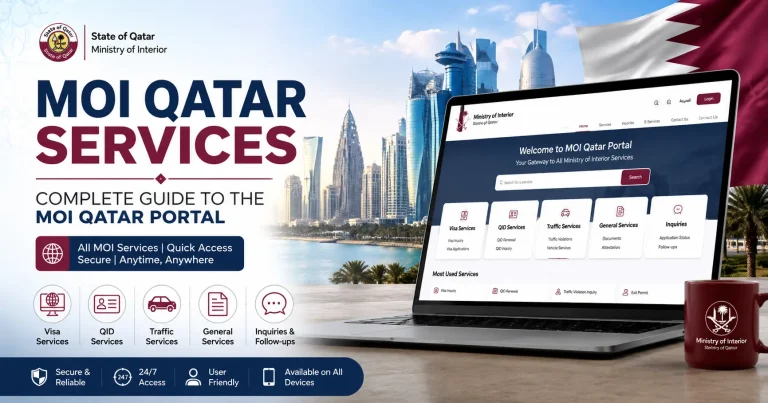
As the Ministry describes it, the portal is the public’s gateway to understanding the activities and services the Ministry provides — and nowhere is that gateway used more often than in the visa section. This guide walks through what the service does, who it’s for, how to use it correctly, and how to avoid the scams and errors that trip up so many applicants.
What Is the Visa Inquiry & Printing Service?
Visa Inquiry & Printing is a free, self-service tool on the Qatar MOI portal that lets applicants, sponsors, and travel agents:
- Track the approval status of a work visa or visit visa application, using the application number.
- Look up an already-issued visa using the visa number, and view its full details.
- Print or reprint the official visa document once it has been approved — no office visit required.
In short, it answers two different questions depending on where you are in the process: “Has my visa been approved yet?” and, once it has, “Can I get an official copy to travel with?”
Who Needs This Service?
Job seekers and workers whose employer has submitted a work visa application on their behalf. Visitors and tourists whose sponsor or travel agency has applied for a visit visa. Residents and family members confirming a residency-linked visa before travel. Employers and sponsors verifying that an employee’s visa has cleared before booking flights. Anyone who has received a visa document from an agent and wants to confirm it is genuine before paying fees or traveling.
How to Moi Qatar Visa Check Print: Step-by-Step
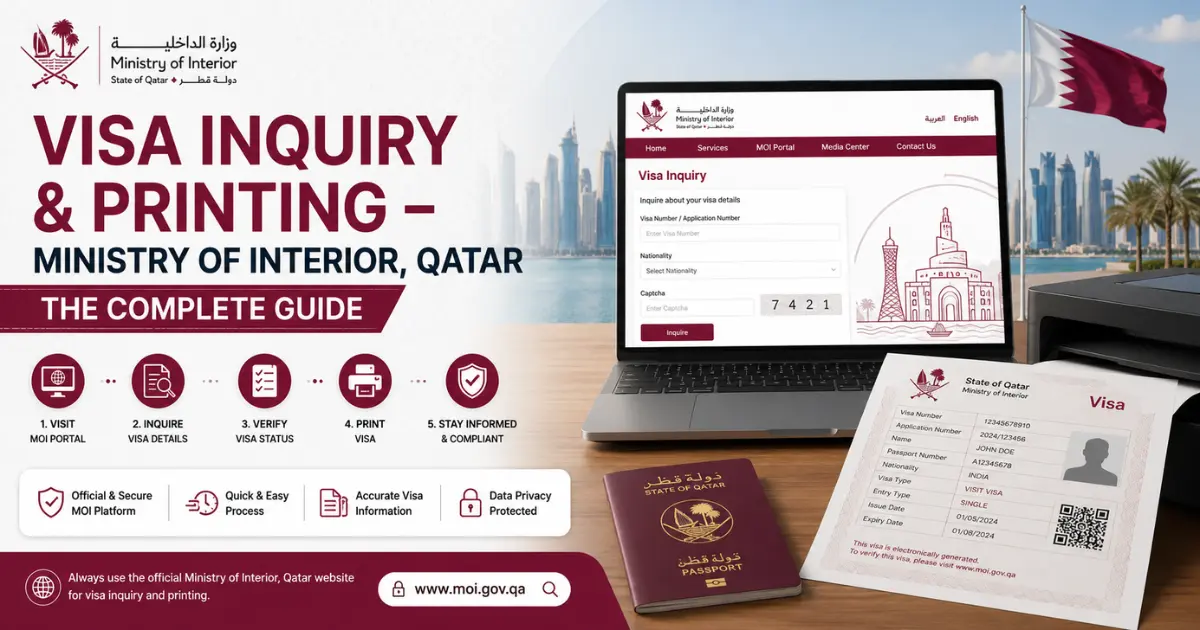
- Go to the official MOI portal. Always type the address directly rather than clicking links from unknown sources.
- Navigate to Services → Inquiries → Visa Services, then select Visa Inquiry & Printing.
- Choose your search method — most applicants search by their visa number or application number; others without a visa number yet can usually search by passport number.
- Enter your details carefully, including nationality selected from the dropdown list. Small typos (an extra space, a wrong digit) are the most common reason searches fail.
- Complete the security verification (CAPTCHA) exactly as shown.
- Submit the form. If a matching record exists, the system displays the visa status along with relevant details.
- If approved, print the result directly from the browser, or save it as a PDF for your records and for travel.
Understanding Your Visa Status Results
Typical status messages you may see include:
- Approved / Valid to Use – the visa has cleared and is ready to be printed and used for travel.
- Under Process – the application is still being reviewed; no action is needed while you wait.
- Rejected – the application was denied; applicants can generally pursue an appeal through the relevant channel.
- Expired – the visa’s validity window has passed and a new application would be required.
It’s worth noting that an issued visa carries an entry deadline — a window in which the holder must enter Qatar — which is separate from the total duration of stay once inside the country. Always check both dates before booking flights.
Alternative Ways to Check and Print Your Visa
The web portal isn’t the only official channel:
- Metrash2 mobile app – The Ministry’s official app brings visa inquiry, along with dozens of other MOI services, to smartphones. It’s especially convenient for Qatar ID holders who want to check status or download a visa copy on the go.
- Authorized visa processing centers – For nationals of certain countries, application-tracking services are also available through officially licensed visa processing centers abroad, useful for applicants who haven’t yet traveled to Qatar.
- Embassy or consulate visits – For those without internet access, contacting the nearest Qatari embassy or consulate is a fallback offline option.
Whichever method you use, the underlying record comes from the same government database, so results should match.
Protecting Yourself from Visa Fraud
Visa scams targeting job seekers are unfortunately common, particularly through unauthorized “agents” who sell fake offer letters and visa documents. The Visa Inquiry & Printing tool doubles as a verification tool:
- Enter the visa number and passport details exactly as printed on the document you were given.
- If the official record matches — same name, nationality, visa type, and validity — the visa is genuine.
- If the system returns “Not Found” or mismatched details, treat the document as fraudulent and do not pay fees or travel based on it.
- Warning signs on a physical or digital document include missing QR/barcodes, blurry printing, misaligned text, or a visa said to have been issued through an unofficial website.
Never send money to an intermediary who cannot show you a verifiable visa number.
Common Issues and How to Fix Them
| Problem | Likely Cause | Fix |
|---|---|---|
| “No record found” | Application still in early processing, or a typo in the number entered | Wait 24–48 hours and re-enter details carefully |
| CAPTCHA won’t submit | Browser extensions or a slow connection | Refresh the page, disable ad blockers, try a different browser |
| Status stuck on “Under Process” for weeks | Additional background checks required | Contact the sponsor or employer handling the application |
| Printed visa missing details | Browser print settings cutting off content | Use “Save as PDF” first, then print from the PDF |
Frequently Asked Questions
Is the Visa Inquiry & Printing service free?
Yes. Checking status and printing an approved visa through the official MOI channels carries no fee.
What information do I need to search?
Typically a visa number or application number, or alternatively a passport number, plus your nationality.
Can an employer check an employee’s visa status?
Sponsors and employers can generally track visas linked to their sponsorship through employer-facing services, while individual searches using personal passport data are treated as private to the applicant.
Can I use this service before I’ve traveled to Qatar?
Yes — the whole point of the service is to let applicants confirm approval before booking flights or making further payments.
What should I do if my visa shows “Rejected”?
Speak with your sponsor, employer, or the agency that filed the application about next steps, including any available appeal process.
Conclusion
The Visa Inquiry & Printing service reflects the core purpose of the Ministry of Interior’s official website: giving the public direct, transparent access to the activities and services of the Ministry — in this case, real-time visibility into one of the most important documents a traveler or worker will carry. Whether you’re confirming an approval, printing a travel-ready copy, or checking that a visa handed to you by an agent is real, the safest path is always the same: use the Ministry’s own official channels, double-check every detail you enter, and keep a printed or digital copy ready well before your travel date.