Qatar ID Status Check Online (QID Check) – MOI Guide 2026
Need to check your Qatar ID status? You can do it online in less than a minute using the official MOI Qatar website. Simply enter your 11-digit QID number or passport number, complete the CAPTCHA, and view your QID validity, expiry date, and residency status instantly—no registration required.
In this guide, you’ll learn the fastest ways to check your Qatar ID, understand what each status means, solve common errors, and find out what to do if your QID is expired, under process, or blocked.
What Is Qatar ID (Qid Check)?
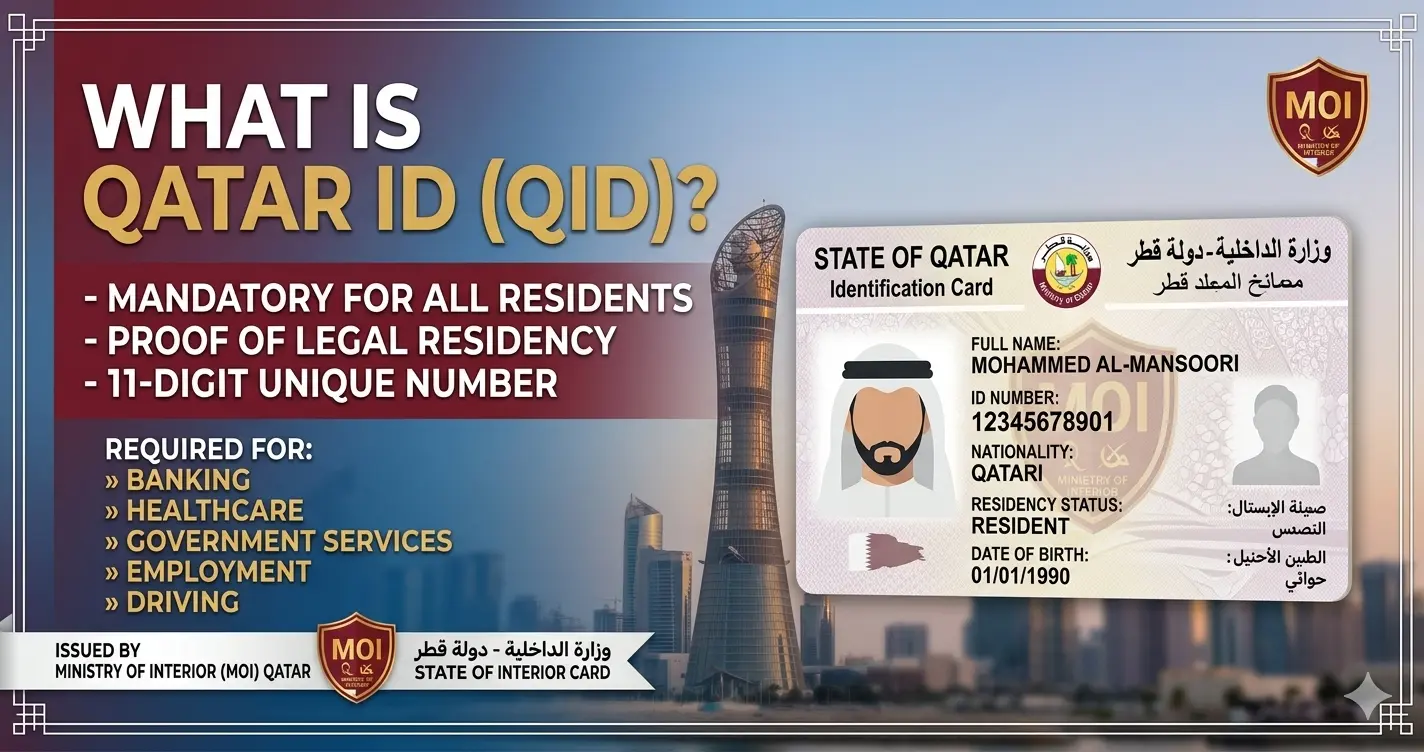
The Qatar ID — officially called the Qatar Identification Card (QID) — is the mandatory government-issued identity document for every resident of Qatar. It is issued by the Ministry of Interior (MOI Qatar / وزارة الداخلية) and serves as your proof of legal residency in the country.
Your QID contains a unique 11-digit number that is linked directly to Qatar’s government database. This number is required for virtually every official activity in Qatar — banking, healthcare, employment, driving, travel, and all government services.
| Detail | Information |
|---|---|
| Official Name | Qatar Identification Card (QID / بطاقة الهوية) |
| Issued By | Ministry of Interior (MOI Qatar) |
| ID Number Format | 11-digit unique number |
| Who Needs It | All residents of Qatar — citizens AND expats |
| Validity Period | 1 to 5 years (depends on residency/employment type) |
| Official Check Portal | moi.gov.qa (Free, 24/7) |
| Mobile App | Metrash (formerly Metrash2) — iOS & Android |
| SMS Check | Send QID number to 92992 |
| Hotline | 2342000 or 2367111 |
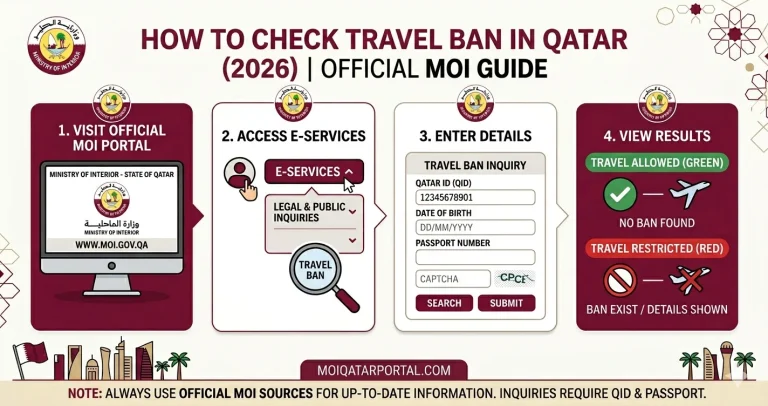
Method 1: MOI Portal — Moi Qatar Qid Check by QID Number (Fastest)
This is the fastest and most reliable method. You only need your 11-digit Qatar ID number. No login, no registration required. Works 24/7 from any device, anywhere in the world.
Open the Official MOI Qatar Website
Go to www.moi.gov.qa in your browser. The MOI Qatar Gov ID Check service is available through the official Ministry of Interior portal and provides secure verification of your Qatar ID details.
Select Your Language
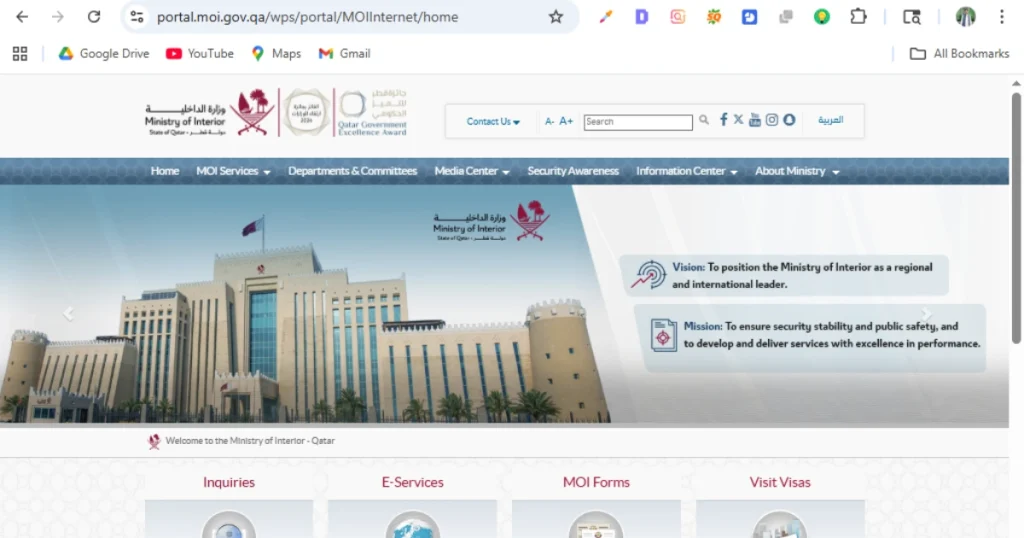
Choose English or Arabic from the top corner of the page.
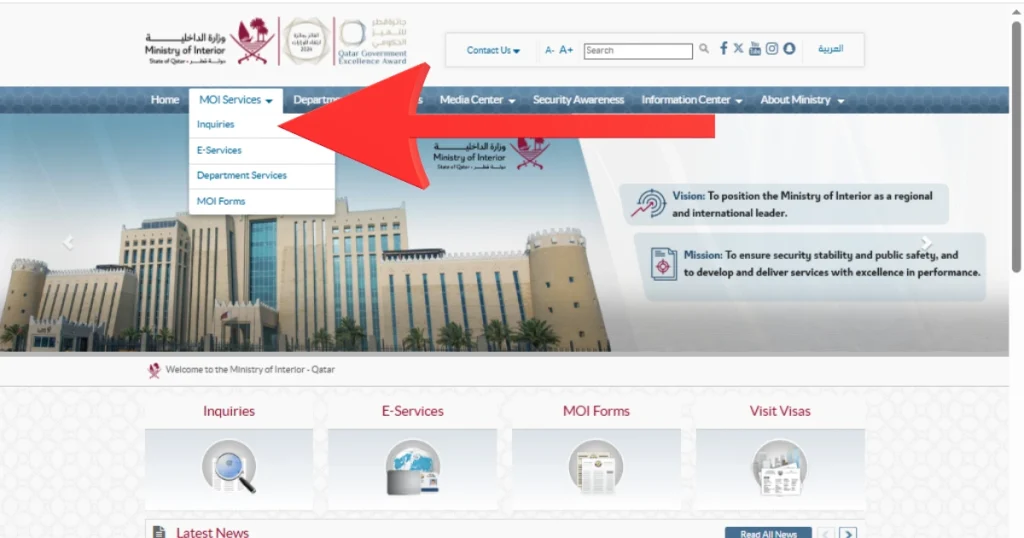
Click on “Inquiries”
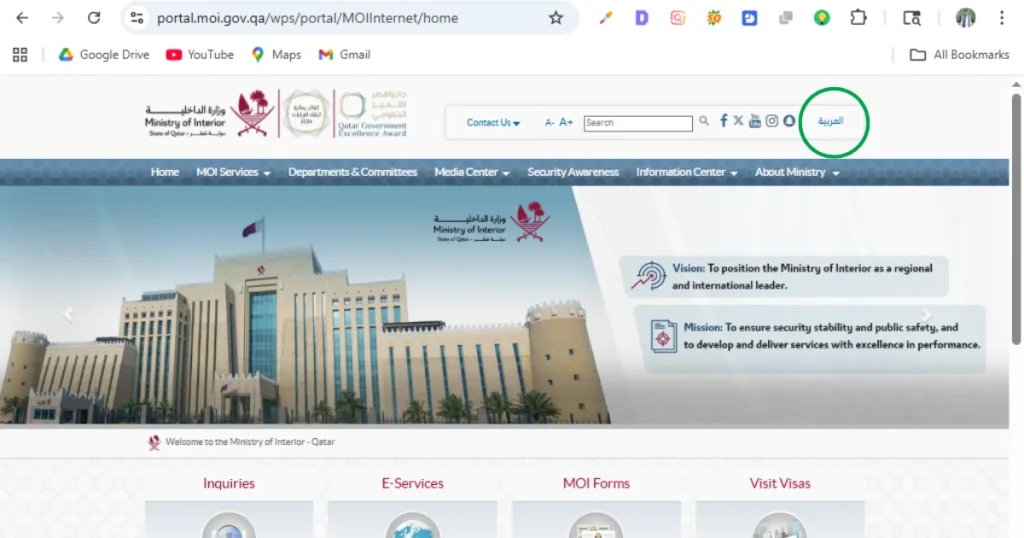
Find and click the “Inquiries” icon (looks like a magnifying glass) on the homepage or in the top navigation menu.
Select “Other Inquiries” → “Official Documents”
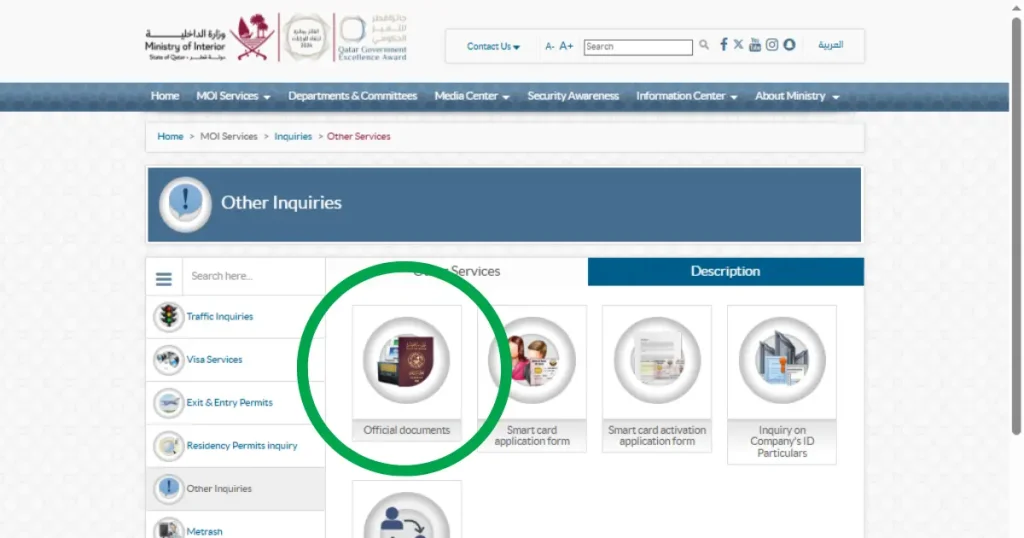
From the left sidebar, click “Other Inquiries”. Then click “Official Documents” from the 5 options that appear.
Select “QID Number” and Enter Your ID
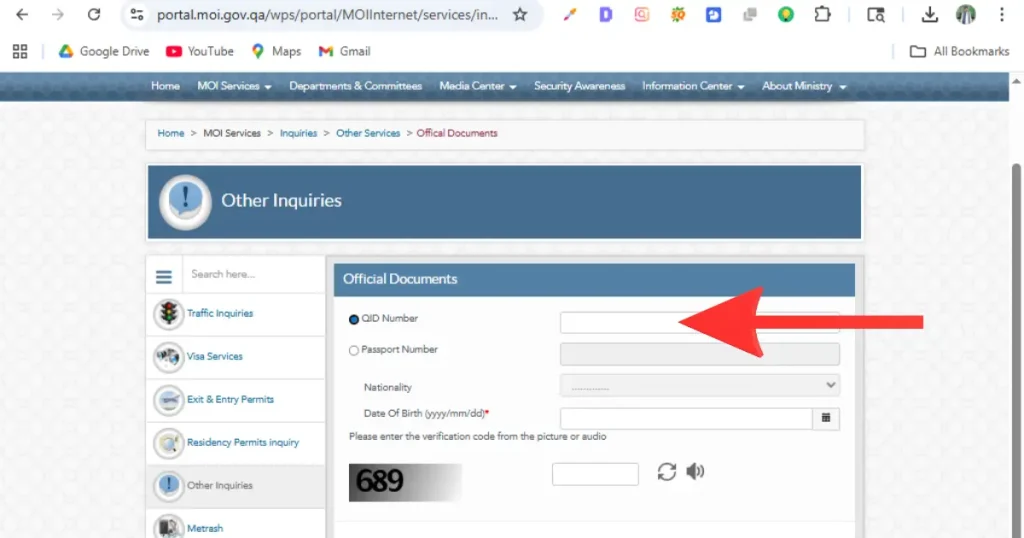
Click the radio button for “QID Number”. Enter your 11-digit Qatar ID number exactly as it appears on your card — no spaces, no dashes.
Complete the CAPTCHA — Then Click Search Immediately
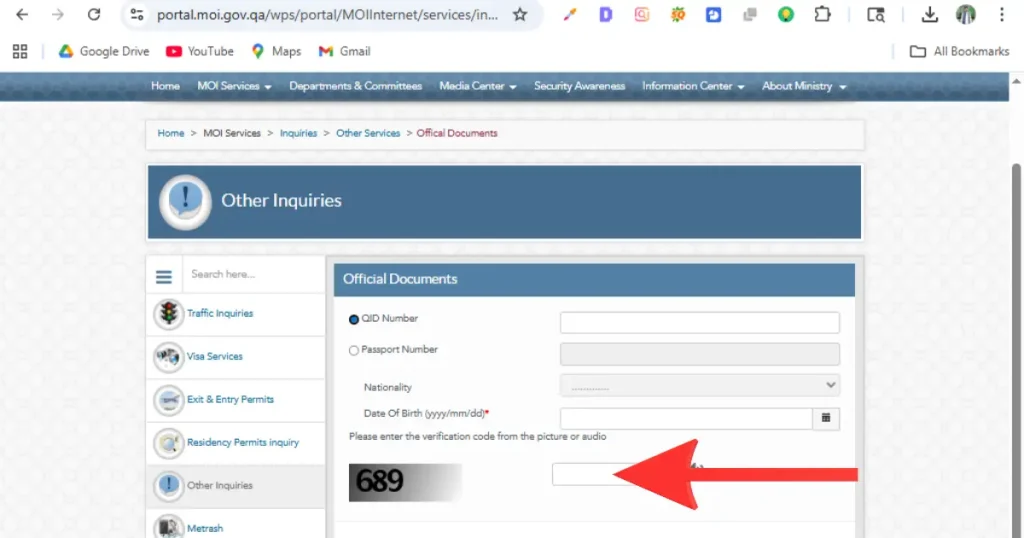
Enter all your details first, THEN read the CAPTCHA code and type it immediately. Click “Search” before it expires (~30 seconds). If it times out, click “Reset” and try again.
View Your Result
Your screen will display: QID Check status, expiry date, passport expiry date, visa expiry date, driving license expiry date, nationality, and sponsor information.
Method 2: MOI Portal — Qatar Id Check by Passport Number
Use this method if you do not have your QID number — for example, you are a new expat still waiting for your first Qatar ID, or you have misplaced your physical card. If you have recently applied for residency, you can also use this method for a MOI Qatar New ID Check before receiving your physical QID card.
Go to moi.gov.qa → Inquiries → Other Inquiries → Official Documents
This MOI Qatar QID Inquiry page lets users check their QID status, expiry date, and other official document information online. Follow steps 1–4 from Method 1 above.
Select “Passport Number”
Click the radio button for “Passport Number” instead of QID Number.
Enter Passport Number Exactly
Type your passport number exactly as it appears on your passport — letter for letter, digit for digit. No spaces.
Select Your Nationality — CRITICAL STEP
Select your nationality from the dropdown list. This is the most common cause of “No Record Found” errors. Make sure the country you select exactly matches your passport nationality.
Complete CAPTCHA → Click Search
Enter the CAPTCHA code immediately and click Search. Your QID details will appear on screen.
Method 3: Metrash App — Best for Mobile Users
The Metrash app (officially updated in March 2026) is the official mobile application of MOI Qatar. It is the most convenient way to check your qid check status from your smartphone and also provides automatic renewal reminders.
📱 2026 App UpdateThe old Metrash2 app is discontinued. Download the new Metrash app from the App Store or Play Store. Requires Android 10+ or iOS 13+. The publisher must be Ministry of Interior – Qatar.
Download the Metrash App
Search “Metrash” on Google Play Store (Android) or Apple App Store (iOS). Install the official app published by Ministry of Interior – Qatar.
Register Your Account
Enter your 11-digit QID number and QID expiry date. Enter your mobile number — it must be registered under your own name with Ooredoo or Vodafone. An SMS activation code will be sent to 92992.
Log In
Log in using your QID number and PIN. You can also use fingerprint or Face ID if enabled on your device.
Go to “Wallet” → Select “ID Card”
Tap the Wallet section. A screen shows all your government documents. Select “ID Card” as the card type to view your QID status, expiry date, and full details.
The Metrash app also shows you: visa status, driving license expiry, vehicle registration, traffic fines, and lets you renew your QID and pay fines directly — all in one place.
Method 4: SMS Service — Check Without Internet
The MOI Qatar SMS service lets you check your Id Check qatar status without any internet connection. This is perfect when you are travelling or have limited data access.
How to Check Qatar ID by SMS
Send your 11-digit QID number to:
92992
You will receive an automated reply with your QID status and expiry date within 1–2 minutes.
Method 5: Phone Hotline & In-Person
Call the official MOI Qatar helpline and provide your QID or passport number to check your status:
| Contact | Number | Hours |
|---|---|---|
| MOI Main Hotline | 2342000 | 24/7 |
| MOI Alternative | 2367111 | 24/7 |
| MOI WhatsApp | Available via moi.gov.qa | Working hours |
💡 Save TimeAlways book an appointment through the Metrash app before visiting. Walk-in queues can be very long, especially on Sundays (first day of Qatar’s working week). Appointment holders are always served first.
Why You Should Check Your Qatar ID Status Regularly
Checking your Qatar ID (QID) status only takes a minute, but it can help you avoid unexpected problems. Your QID can expire, be suspended, or show a new status without any notification. A quick check every month or before traveling helps you stay on the safe side.
Avoid Banking Problems
If your QID has expired, your bank may restrict access to your account. This can affect ATM withdrawals, online banking, and money transfers until your ID is renewed.
Stay Away from Daily Fines
An expired QID can lead to daily fines. Checking your status regularly gives you enough time to renew it before penalties start.
Travel Without Issues
A valid QID is important when entering or leaving Qatar. If your ID has expired or been cancelled, you could face delays or even be stopped from traveling.
Keep Access to Healthcare
Many hospitals and clinics ask for a valid QID before providing services. Keeping your ID active helps you avoid unnecessary problems during medical visits.
Protect Your Driving Privileges
Your Qatar driving licence is linked to your QID. If your QID expires, you may not be able to use your driving licence until your residency is renewed.
Track Your Renewal Progress
If you’ve already applied for renewal, checking your QID status lets you see whether it’s Under Process, Approved, or Ready for Collection, so you’ll know exactly what to do next.
What Each Qatar ID Status Means
When you check your QID on the MOI portal or Metrash app, you will see one of the following status labels. Here is exactly what each one means and the action you must take.
| Status | Meaning | Action Required |
|---|---|---|
| Active / Valid | Your Qatar ID is valid and fully active. | No action needed. Monitor expiry date. |
| Under Process | Renewal application submitted. MOI is processing it. | Wait 3–10 working days. Do not travel outside Qatar. |
| Ready for Collection | New QID card is printed. Ready for delivery or collection. | Track delivery on Metrash or collect from MOI center. |
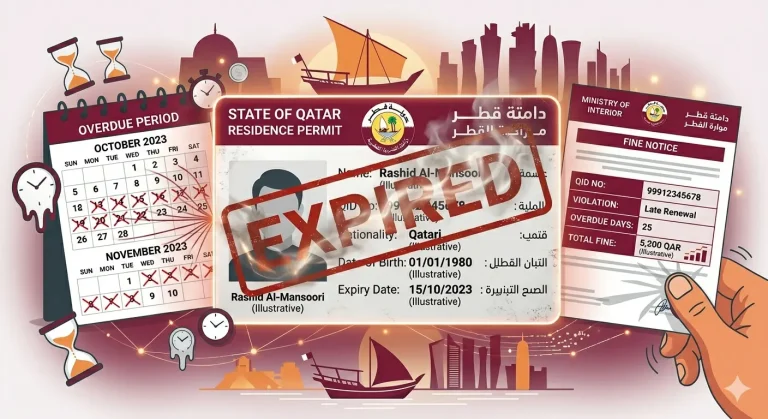
| Expired | Your QID has passed its expiry date. Fines are accruing. | Renew immediately via Metrash or MOI portal. QAR 10/day fine. |
| Cancelled | Residency cancelled — usually due to employment end or sponsor withdrawal. | Contact employer immediately or visit MOI service center. |
| Blocked | Legal hold, court order, or unpaid fines linked to your QID. | Visit MOI service center in person. Do not attempt to travel. |
| Under Renewal | Renewal in progress. Your current QID remains valid. | Wait. You can travel normally during this status. |
| Invalid | Usually a data entry error — wrong QID or passport number entered. | Click Reset and re-enter your details carefully. Check for typos. |
Common Errors When Checking Qatar ID & Solutions
Error 1: “No Record Found” or “Invalid QID”
Cause: Wrong QID number entered, wrong nationality selected, or application not yet in the system.
FixCheck your QID number digit by digit. If using passport number, verify your nationality selection carefully — it must match exactly. If your application was just submitted, wait 24–48 hours and try again.
Error 2: CAPTCHA Keeps Expiring
Cause: CAPTCHA on MOI portal expires in ~30 seconds.
FixFill in your QID/passport details first, THEN immediately look at the CAPTCHA and type it — then click Search right away without any delay.
Error 3: MOI Website Not Loading
Cause: The MOI portal undergoes maintenance between 12:00 AM – 4:00 AM Qatar time, or high traffic periods.
FixClear your browser cache and try again. Switch to Google Chrome or Firefox. Or use the Metrash app as an alternative — it is independent of the website.
Error 4: Status Shows “Expired” but You Are in Qatar
Cause: Your QID renewal has not been submitted by your employer, or there is a delay in processing.
Action RequiredContact your employer’s PRO immediately. Fines of QAR 10/day are running from the expiry date. Do not travel outside Qatar until renewal is confirmed.
Error 5: Status Shows “Blocked”
Cause: Outstanding court order, unpaid fines older than 2 years, or an administrative hold.
Action RequiredVisit an MOI service center in person immediately. Do not attempt to exit Qatar — you will be stopped at the airport. Bring your passport and QID.
Frequently Asked Questions (FAQ)
How to qatar id online check in 2026?
Go to moi.gov.qa → Inquiries → Other Inquiries → Official Documents → Enter your 11-digit QID number → Complete CAPTCHA → Click Search. Result appears instantly. It is free, 24/7, and accessible from anywhere in the world.
Can I id check qatar by passport number without QID?
Yes. On the MOI inquiry page, select “Passport Number.” Enter your passport number, select your nationality carefully from the dropdown, complete the CAPTCHA, and click Search. This works even if you have not yet received your physical QID card.
How to check Qatar ID expiry date by SMS?
Send your 11-digit QID number to 92992 from a mobile number registered under your own QID. You will receive an automated SMS reply with your ID status and expiry date within 1–2 minutes. No internet needed.
What is the fine for an expired Qatar ID?
QAR 10 per day starting from the expiry date — with no grace period. An expired QID also automatically freezes your bank account and suspends your driving license. Pay the fine and renew immediately through the Metrash app or MOI portal.
Is the Metrash2 app still working in 2026?
No. The old Metrash2 app is officially discontinued as of early 2026. Download the new Metrash app from the App Store or Play Store. Make sure the publisher is “Ministry of Interior – Qatar.” The new app has the same features with an updated interface.
Can I check Qatar ID status from outside Qatar?
Yes. The MOI Qatar portal (moi.gov.qa) is accessible from any country, 24 hours a day, completely free. You do not need to be physically present in Qatar to check your QID status.
Why does MOI show “No Record Found” for my Qatar ID?
The most common reason is wrong nationality selection when checking by passport number. Other reasons: a typo in the QID or passport number, or the application not yet entered into the MOI system. Wait 24–48 hours and try again. If problem persists, call MOI hotline at 2342000.
How long does Qatar ID renewal take in 2026?
Typically 3–10 working days from the date of application and fee payment. You can track renewal status in real time through the Metrash app. The new QID card is delivered to your registered address via Qatar Post.
What does “Qatar ID Under Process” mean?
It means your renewal application has been submitted to MOI and is currently being reviewed and processed. Your existing QID remains valid during this period. Do not travel outside Qatar until the status changes to “Active” or “Ready for Collection.”
My Qatar ID shows “Blocked” — what should I do?
Visit an MOI service center in person immediately with your passport and QID. A blocked status can be caused by a court order, unpaid fines over 2 years old, or an administrative hold. Do not attempt to exit Qatar — you will be detained at the airport. Book an appointment on Metrash first to reduce waiting time.
MOI Qatar hotline number for ID inquiry?
Call 2342000 or 2367111. Both lines operate 24/7. Have your QID number or passport number ready when you call. For complex cases, visiting an MOI service center in person is more effective than calling.
Can my employer check my Qatar ID status without telling me?
Yes. Employers and sponsors can check the QID status of their sponsored employees through the MOI employer portal and Metrash employer account. However, you should also check your own status independently and not rely solely on your employer to inform you.
Conclusion:
Checking your Qatar ID status is not optional — it is one of the most important habits every resident of Qatar must build. A single expired day costs you QAR 10 in fines, freezes your bank account, suspends your driving license, and can even stop you from boarding a flight. The good news is that MOI Qatar gives you five completely free ways to stay informed: the official portal, Metrash app, SMS, phone hotline, and in-person service centers.
For most people, the fastest route is the MOI portal at moi.gov.qa — no login, no registration, just your 11-digit QID number and a CAPTCHA. If you prefer your phone, the new Metrash app (replacing the discontinued Metrash2) gives you real-time status, renewal reminders, and even lets you pay fines directly. And if you have no internet at all, a simple SMS to 92992 gets the job done in under two minutes.
The smartest thing you can do right now is check your QID status today — then set a monthly reminder to check again. Do not wait for your employer to inform you, and do not wait for a fine notice to arrive. In Qatar, residency compliance is your personal responsibility.