Metrash Errors Fix: OTP, 500KB Upload & Payment Declined (2026 Guide)
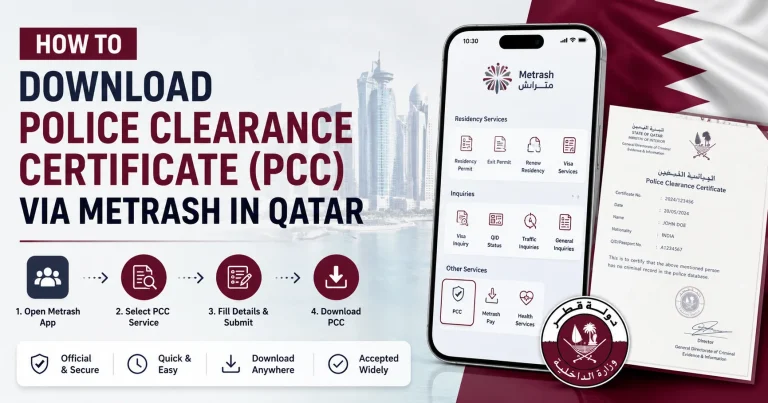
The Metrash app is the official digital services platform of the Ministry of Interior (MOI) Qatar. Residents and citizens use it daily for visa renewals, permit applications, payments, and document submissions.
But when something goes wrong mid-task, it is genuinely frustrating — especially when the error message gives no clear explanation.
This guide covers the three most common Metrash errors, their real causes, and fixes that actually work.
Metrash Errors Fix 1: OTP Not Received on Metrash
The Real Cause Most Guides Miss
The most common reason OTP fails on Metrash is not a network issue. It is that your SIM card is not officially registered under your Qatar ID (QID) in the MOI database.
Qatar law requires every SIM card to be linked to a specific QID. If your number is registered under someone else’s QID — a family member, employer, or previous owner — Metrash cannot verify your identity and will not send the OTP.
How to fix this: Go to any Ooredoo, Vodafone Qatar, or Starlink outlet and request a SIM-to-QID re-registration. Bring your Qatar ID. This process takes a few minutes and permanently resolves the OTP issue.
Other Causes and Fixes
Weak network signal Move to an area with better coverage and request a new OTP. Do not request multiple OTPs in quick succession as this can trigger a temporary block.
SMS inbox is full New messages including OTPs cannot be delivered to a full inbox. Delete old messages and try again.
Outdated app version Open the Play Store or App Store, check for a Metrash update, and install it before trying again.
Outside Qatar OTP delivery can be delayed or blocked when roaming. If possible, try over a Wi-Fi call or contact MOI support directly.
Metrash Errors Fix 2: 500KB Upload Error on Metrash
Why This Happens
Metrash has a strict file size limit for document uploads. Most services only accept files below 500KB. Modern smartphone cameras produce photos between 3MB and 8MB by default — well above this limit. Even a file at 510KB will be rejected.
How to Compress Your Document on Mobile
On Android — use Photo Compress & Resize (free, Play Store) Open the app, select your photo, drag the quality slider down until the file size shown drops below 500KB, then save and upload.
On iPhone — use the built-in Files app Open Files, tap and hold your image, select Quick Actions, then Compress. For photos specifically, use the Shortcuts app and create a “Reduce Image Size” shortcut — it takes 30 seconds to set up and works instantly every time after that.
On any device — use tinypng.com or ilovepdf.com Upload your file, download the compressed version, and upload to Metrash. Both are free and work in any browser.
Additional Tips
- Save photos as JPG not PNG. JPG files are significantly smaller for the same visual quality.
- When scanning documents, set the resolution to 150 DPI. Higher resolution increases file size without improving readability on screen.
- Always check the file size before uploading. On Android, long-press the file and tap Details. On iPhone, tap the file in the Files app and swipe up to see size.
Metrash Errors Fix 3: Payment Declined on Metrash
Why Payments Fail
A declined payment on Metrash is not always a card or balance issue. Sometimes the problem is on the bank’s side or with the payment gateway itself.
Most common causes:
- Bank has blocked the transaction as a security measure (very common with government portals)
- Card is not enabled for online transactions
- Incorrect CVV or expiry date entered
- Temporary issue with the Metrash payment gateway
Fix 1 — Call Your Bank First
Before trying anything else, call the number on the back of your card and ask whether the payment to MOI Qatar was blocked. Many banks in Qatar automatically flag government portal transactions as unusual. A one-minute call to your bank to whitelist the transaction resolves this immediately.
Fix 2 — Enable Online Payments on Your Card
Some debit cards have online transactions disabled by default. Log in to your bank’s mobile app and check whether online or international payments are switched on for your card.
Fix 3 — Use Apple Pay or Google Pay
If your bank card supports Apple Pay or Google Pay, use these instead of entering your card details manually. These payment methods have a higher success rate on Metrash because they use tokenised transactions that banks are less likely to block.
Fix 4 — Use the MOI Web Portal as Backup
If the Metrash app payment keeps failing, open hukoomi.gov.qa on a browser and complete the same payment through the MOI web portal. The desktop portal uses a different payment gateway and often succeeds when the app does not.
Fix 5 — Try a Different Card
If all else fails, use a different debit or credit card. Visa and Mastercard both work on Metrash.
When to Contact Metrash Support
Try the fixes above first. If the problem continues after all steps, contact MOI support:
- Metrash helpline: 2347444
- MOI website: moi.gov.qa
- In person: Any MOI service center
Before calling, take a screenshot of the error message and note the exact time it occurred. This speeds up the support process significantly.
Frequently Asked Questions
Why am I not receiving the Metrash OTP?
The most common reason is that your SIM card is not registered under your QID in the MOI database. Visit your telecom provider to fix this. Other causes include a full SMS inbox, weak signal, or an outdated app.
What file size does Metrash accept for uploads?
Most Metrash services require files below 500KB. Use a compression tool like tinypng.com or the Photo Compress app on Android to reduce your file before uploading.
Why does Metrash keep declining my payment?
Check with your bank first — many banks block government portal payments automatically. Also verify that online transactions are enabled on your card. As an alternative, try Apple Pay, Google Pay, or the MOI web portal at hukoomi.gov.qa.
Can I complete Metrash payments on a computer instead?
Yes. Visit hukoomi.gov.qa and complete the payment through the MOI web portal. It uses a different payment gateway and is a reliable backup when the app payment fails.
Conclusion
Most Metrash errors are fixable without visiting a service center. The OTP issue is almost always a SIM registration problem. The 500KB error is solved in under two minutes with a free compression tool. Payment declines are usually resolved by calling your bank or switching to Apple Pay or the MOI web portal.
If none of the above works, contact MOI support with a screenshot of the error ready.