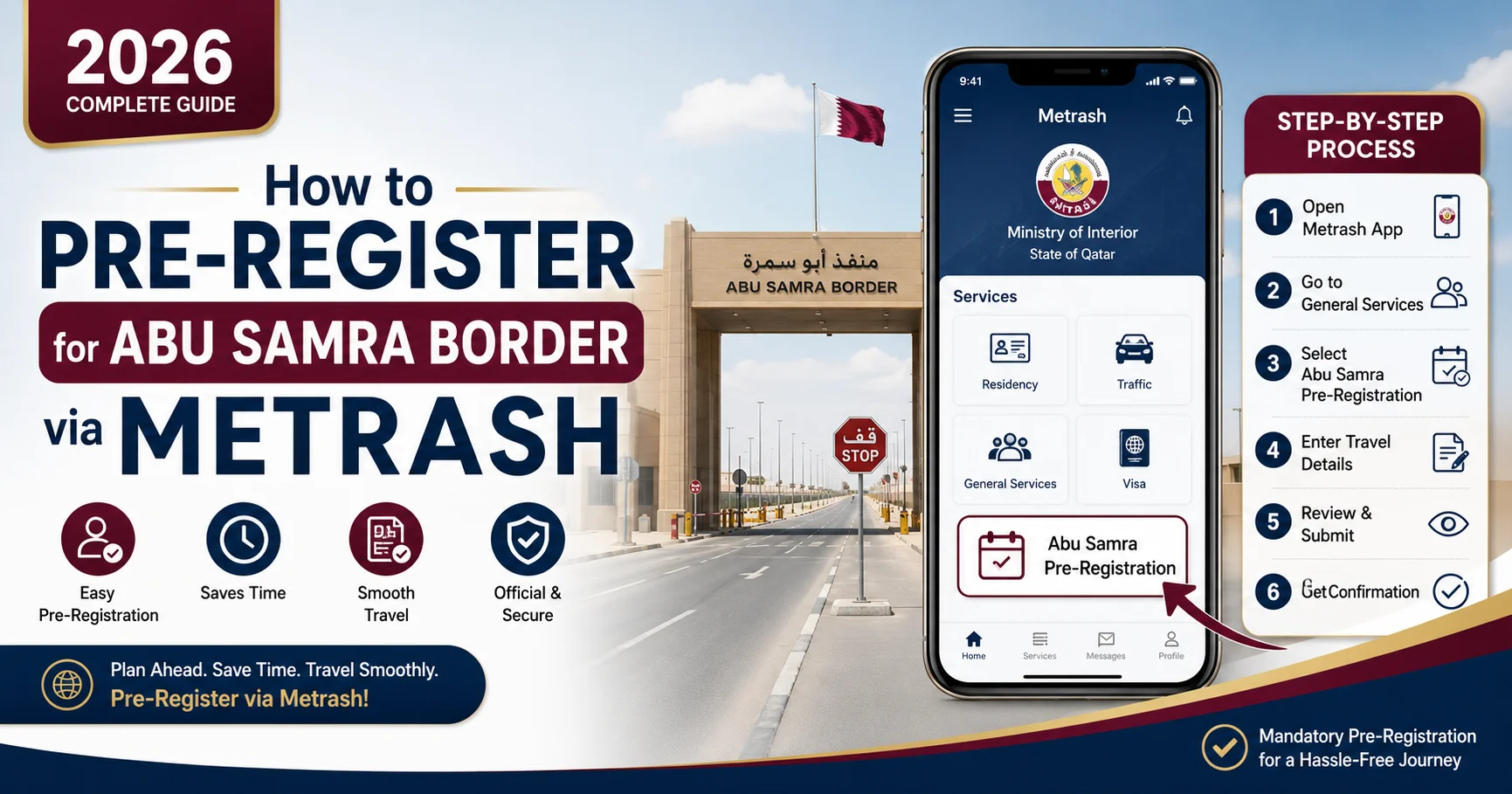
How to Abu Samra Border Pre-Registration via Metrash (2026 Complete Guide)
Abu Samra Border via Metrash has become one of the easiest ways for travelers to avoid long queues and delays when crossing from Qatar into Saudi Arabia. The Ministry of Interior Qatar now allows eligible travelers to pre-register their border crossing through the Metrash2 app, helping streamline the process before you even leave home.
Picture this: it’s a Thursday evening before a long weekend. You’re headed to Saudi Arabia for a road trip, excitement building — but when you reach the Abu Samra border, you’re met with a line of cars stretching further than you can see. Hours of waiting, engine idling, patience thinning.
Now picture a different version: you open your Metrash2 app three days before the trip, tap a few buttons, select your preferred travel time, add your passengers — and you’re done. At the border, a dedicated fast lane with your name on it.
That second version is not a fantasy. It’s the service Qatar’s Ministry of Interior has introduced through the Abu Samra border pre-registration system on Metrash2, making border crossings faster, smoother, and more predictable for travelers.
This is your complete, up-to-date guide for 2026 — covering every step, every document, every status code, and every tip you need to cross the Abu Samra border smarter.
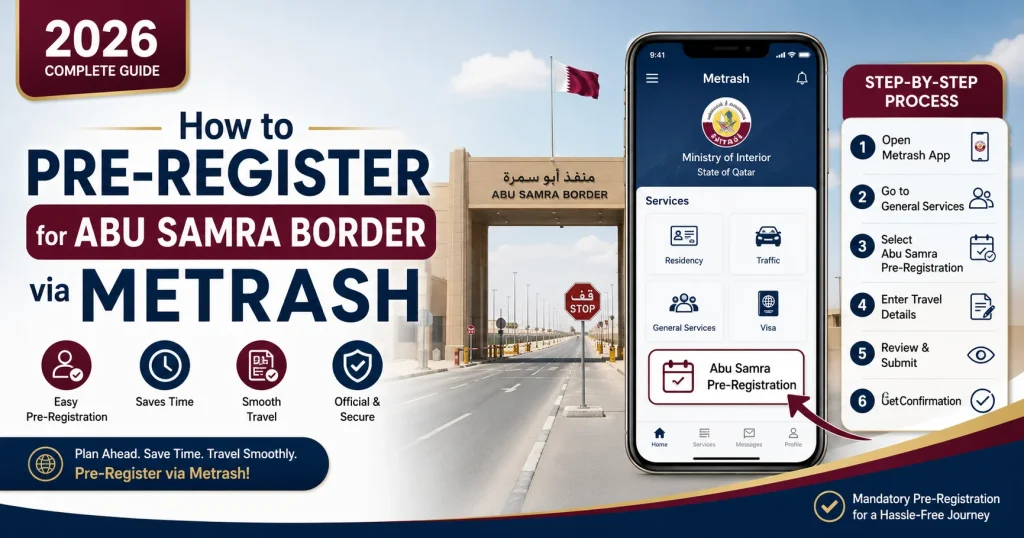
What Is Abu Samra Border Pre-Registration via Metrash?
Direct Answer: Abu Samra border pre-registration is a free, optional digital service that allows Qatar residents, citizens, and certain visitors to submit their vehicle and passenger details in advance through the Metrash2 app (or Hayya Portal), granting access to a dedicated fast-track lane at the Abu Samra crossing.
The Abu Samra Port is Qatar’s only land border crossing, connecting Qatar to Saudi Arabia via Salwa Road. It’s the gateway for thousands of residents and tourists who drive between the two countries each week.
Qatar’s Ministry of Interior launched the pre-registration service specifically to reduce congestion and speed up departure and arrival procedures. Instead of joining the standard queue alongside all other travelers, pre-registered vehicles access an exclusive fast lane, dramatically cutting wait times — especially during peak travel periods like public holidays and long weekends.
Key fact: The service is free of charge and entirely optional. The regular border crossing continues to operate as normal with 24 passport offices and 36 checkpoints — but why wait in line if you don’t have to?
Who Can Pre-Register for Abu Samra Border?
Eligibility Overview
The pre-registration system serves two main groups through two separate platforms:
| Traveler Type | Platform to Use | Eligibility |
|---|---|---|
| Qatari citizens | Metrash2 App | ✅ Eligible |
| Qatar residents (QID holders) | Metrash2 App | ✅ Eligible |
| GCC citizens | Can be added as passengers via Metrash2 | ✅ Eligible |
| International visitors entering Qatar | Hayya Portal | ✅ Eligible |
| Rental/corporate vehicle users | Check with provider | ⚠️ Verify first |
Who benefits most from pre-registration?
- Families travelling with multiple passengers
- People driving their own Qatari-registered vehicle into Saudi Arabia
- Anyone travelling during public holidays, Eid, or long weekends
- Frequent cross-border travellers who value predictable timing
What You Need Before You Start
Don’t start the Metrash2 pre-registration process empty-handed. Gather these documents and details first — it’ll take you five minutes instead of fifteen.
Documents Checklist
For the driver/vehicle owner:
- Qatar ID (QID) — for residents
- Valid Qatari passport — for citizens
- Vehicle registration card (Istimara)
- Valid vehicle insurance for Saudi Arabia (Metrash will check this)
For passengers:
- QID or passport number for each passenger
- Visa details for any non-GCC visitors
For your trip:
- Expected travel date and time
- Entry or exit direction (are you leaving Qatar or returning?)
- Vehicle type (private car, SUV, etc.)
Expert tip: As of February 1, 2026, travellers entering Qatar via Abu Samra with foreign-registered vehicles must arrange vehicle insurance in advance through the MSAR platform before pre-registering. On-site short-term insurance is no longer offered at the border. Don’t leave this to the last minute.
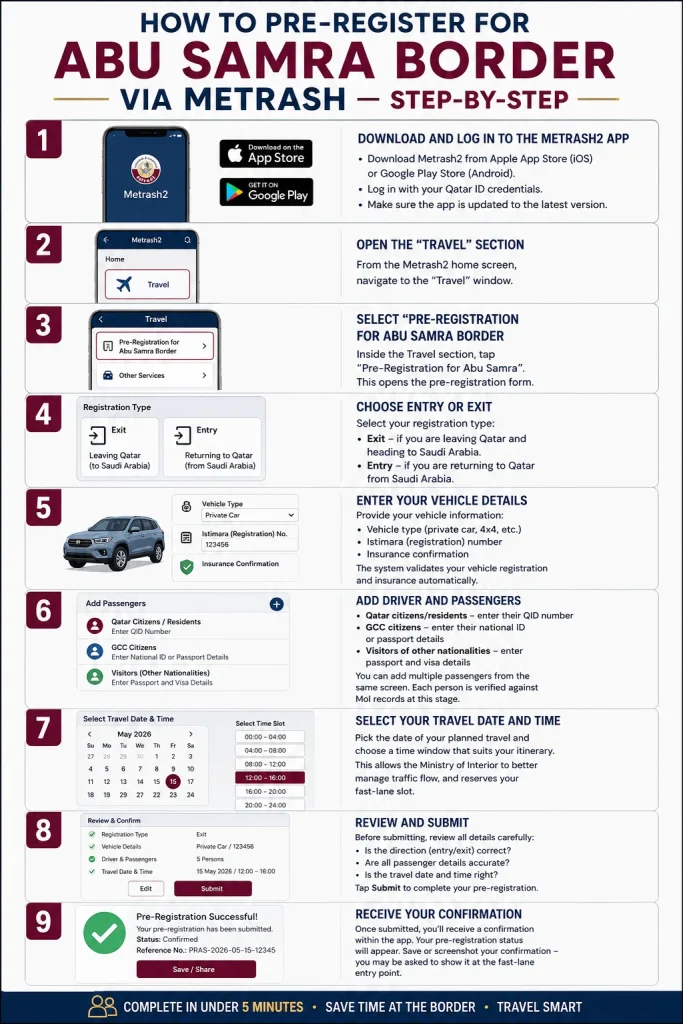
How to Pre-Register for Abu Samra Border via Metrash — Step-by-Step
This is the core guide you came for. Follow these steps exactly, and you’ll complete your pre-registration in under five minutes.
Step 1 — Download and Log In to the Metrash2 App
If you don’t have Metrash2 installed, download it from the Apple App Store (iOS) or Google Play Store (Android). Log in with your Qatar ID credentials.
Already have it? Open the app and make sure it’s updated to the latest version. The pre-registration feature receives regular updates from the Ministry of Interior.
Step 2 — Open the “Travel” Section
From the Metrash2 home screen, navigate to the “Travel” window. This is the dedicated section for all border-crossing and travel-related services.
Step 3 — Select “Pre-Registration for Abu Samra Border”
Inside the Travel section, tap “Pre-Registration for Abu Samra”. This opens the pre-registration form.
Step 4 — Choose Entry or Exit
Select your registration type:
- Exit — if you are leaving Qatar and heading to Saudi Arabia
- Entry — if you are returning to Qatar from Saudi Arabia
This distinction matters — the system processes departures and arrivals through different verification paths.
Step 5 — Enter Your Vehicle Details
Provide your vehicle information:
- Vehicle type (private car, 4×4, etc.)
- Istimara (registration) number
- Insurance confirmation
The system validates your vehicle registration and insurance automatically. If there’s an issue, you’ll be notified here — well before you reach the border.
Step 6 — Add Driver and Passengers
Add each person travelling in the vehicle:
- Qatar citizens/residents — enter their QID number
- GCC citizens — enter their national ID or passport details
- Visitors of other nationalities — enter passport and visa details
You can add multiple passengers from the same screen. Each person is verified against MoI records at this stage.
Step 7 — Select Your Travel Date and Time
This is the feature added by the Ministry of Interior in the 2024 update — and it’s a game changer. Instead of just registering your intention to travel, you now select a specific date and preferred time slot for your crossing.
Choosing a time slot:
- Pick the date of your planned travel
- Choose a time window that suits your itinerary
- Confirm your selection
This allows the border authority to better manage traffic flow, and it means your fast-lane slot is effectively reserved.
Step 8 — Review and Submit
Before submitting, review all details carefully:
- Is the direction (entry/exit) correct?
- Are all passenger details accurate?
- Is the travel date and time right?
Tap Submit to complete your pre-registration.
Step 9 — Receive Your Confirmation
Once submitted, you’ll receive a confirmation within the app. Your pre-registration status will appear (see the status codes section below). Save or screenshot your confirmation — you may be asked to show it at the fast-lane entry point.
How to Pre-Register via Hayya Portal (For Visitors)
If you are an international visitor entering Qatar — not a resident or citizen — the Metrash2 app is not for you. Use the Hayya Portal instead.
Hayya Portal Pre-Registration Steps
- Visit the official Hayya Portal online
- Select “Abu Samra Border Pre-Registration” from the homepage menu
- Enter your passport number and visa details
- Enter your vehicle details (non-Qatari registered vehicle)
- Add any additional passengers
- Select your planned travel date
- Submit and save your confirmation
Important: Visitors with rental or corporate vehicles should confirm with their rental provider whether pre-registration is permitted or handled on their behalf.
Understanding Your Pre-Registration Status
After submitting, your registration will show one of these status codes in the Metrash2 app:
| Status | What It Means | What to Do |
|---|---|---|
| Ready to Go | Pre-registration complete — fast lane access confirmed | Proceed to the dedicated lane at the border |
| Pending | Request is under review by authorities | Wait; check again before your travel date |
| Accepted | Trip approved for entry into Qatar | Proceed as planned |
| Rejected | Issues with details or traveller information | Correct the errors and resubmit |
| Cancelled | Trip cancelled; vehicle can be reassigned | Resubmit a new registration if needed |
| Expired | Entry permit no longer valid | The permit expires 30 days from issuance; reapply |
| Fingerprint Required | Proceed to the border for fingerprint verification | Report to the designated counter at Abu Samra |
The status you want is “Ready to Go.” Only then should you drive to the border expecting fast-lane access.
2026 Updates — What’s New at Abu Samra Border
The Abu Samra crossing experience has been significantly upgraded over the past year. Here’s what’s changed in 2025–2026 that you need to know:
New Features in Metrash2
- Select Travel Date and Time — Added in mid-2024, this field lets you book a specific crossing time slot, not just a general intention to travel.
- Review and Edit Past Trips — You can now review your travel history and reapply for a previous trip configuration, saving time for frequent crossers.
- Add GCC and International Passengers — The app now supports adding passengers of any nationality, not just Qatari residents.
MSAR Insurance Platform (From February 1, 2026)
Starting February 1, 2026, travellers entering Qatar via Abu Samra with foreign-registered vehicles must arrange insurance through the newly launched MSAR platform before crossing. Two coverage options are available:
- Short-term: 1–2 weeks
- Long-term: 1 month or more
On-site short-term insurance purchase at the border is no longer offered. Vehicles insured in advance through MSAR access a dedicated fast lane. Arrange this before attempting pre-registration if your vehicle is foreign-registered.
Benefits of Pre-Registering vs. Using the Regular Lane
| Factor | Pre-Registered (Fast Lane) | Regular Lane |
|---|---|---|
| Wait time | Significantly shorter | Can be hours during peak times |
| Document processing | Pre-verified digitally | Done at the counter |
| Flexibility | Choose your time slot | No slot reservation |
| Cost | Free | Free |
| Mandatory? | No — optional | Default for non-registered |
| Suitable for families | Excellent | Can be stressful with children |
| During holidays | Fastest option available | Longest queues |
Common Mistakes to Avoid
Even tech-savvy travellers make these errors. Learn from them before you reach the border.
1. Registering too late The system needs time to process and verify your details. Pre-register at least 24–48 hours before your trip, not 30 minutes before departure.
2. Getting the direction wrong Exit and Entry are processed differently. If you’re leaving Qatar, select Exit. Selecting the wrong direction causes a rejected status.
3. Forgetting to add all passengers Every person in the vehicle must be added to the registration. Missing even one passenger can cause delays at the fast lane checkpoint.
4. Not checking insurance validity Your vehicle insurance must be valid for Saudi Arabia travel. Metrash will flag invalid insurance during registration — but it’s better to check before you start.
5. Not updating the app Older versions of Metrash2 may not include the latest features, including the travel date and time selector. Always update before registering.
6. Registering one vehicle for multiple trips A single vehicle cannot be active on multiple trips simultaneously. Cancel a previous registration before creating a new one.
7. Ignoring the “Fingerprint Required” status This status doesn’t mean your registration failed. It means you need to visit the fingerprint counter at Abu Samra when you arrive — not skip the fast lane entirely.
Expert Tips for a Smooth Abu Samra Crossing
These are practical, real-world tips from regular Qatar–Saudi road travellers:
Time your travel wisely. Early morning crossings (before 8am) and midweek travel (Sunday–Tuesday) are consistently the least congested. Avoid Thursday afternoons and the days before Eid at all costs.
Pre-register before your insurance expires. If your vehicle insurance renews soon, ensure the renewed policy is active before submitting your pre-registration.
Check the Abu Samra live traffic cameras before you leave. Qatar’s Ministry of Interior occasionally posts updates on border congestion on their official social media accounts.
Screenshot your confirmation. App connectivity at the border can be intermittent. A screenshot of your “Ready to Go” status gives you a backup to show border officials if the app doesn’t load.
Keep all documents in one place. Create a simple folder in your phone photos with images of your QID, Istimara, insurance, and passenger IDs. Having them instantly accessible saves minutes that feel like hours in a queue.
For families with children: Pre-registration is especially worthwhile. Standing in the regular queue for hours with young children is exhausting. The fast lane removes most of that stress.
Plan for the unexpected. If your pre-registration status shows “Pending” on the day of travel, don’t assume it will resolve itself. Contact the Ministry of Interior through the Metrash2 support feature or go to the regular lane to avoid missing your trip.
People Also Ask — Related Questions
Is pre-registration at Abu Samra border mandatory?
No. Pre-registration through Metrash2 is entirely optional. The regular border crossing lanes continue to operate as normal for all travellers who have not pre-registered.
How long does it take to pre-register on Metrash2?
Once you have your documents ready, the pre-registration process on Metrash2 typically takes 3–5 minutes.
Can I pre-register for someone else’s vehicle?
No. The vehicle owner must be the primary registered party. The registration is linked to the vehicle’s Istimara and the owner’s QID.
Is the Abu Samra pre-registration service free?
Yes. The pre-registration service itself is free of charge. Costs associated with vehicle insurance (required separately) are not part of the pre-registration fee.
How far in advance should I pre-register?
The Ministry of Interior recommends registering before your travel date. Best practice is 24–72 hours in advance to allow processing time and resolve any issues.
Can visitors pre-register for Abu Samra border crossing?
Yes, but through a different platform. Qatari residents and citizens use the Metrash2 app. International visitors entering Qatar use the Hayya Portal.
What happens if my pre-registration is rejected?
If your status shows “Rejected,” it means there’s an issue with your submitted details — usually a passenger detail, insurance, or vehicle information error. Correct the issue and resubmit.
How long is an Abu Samra pre-registration entry permit valid?
The entry permit is valid for 30 days from issuance. If unused within that period, it expires and you must reapply.
Can I edit my pre-registration after submitting?
Yes. The updated Metrash2 app allows you to review and edit previous trip registrations before your travel date.
Can I register two vehicles at the same time?
No. Each vehicle can only have one active pre-registration at a time. Cancel one before registering the same vehicle for a different trip.
What is the fast lane at Abu Samra border?
The fast lane is a dedicated crossing channel exclusively for pre-registered vehicles at the Abu Samra border. It bypasses the standard queues and offers faster document processing.
What is MSAR and do I need it for Abu Samra?
MSAR is Qatar’s new online insurance platform for foreign-registered vehicles entering Qatar via Abu Samra. Starting February 1, 2026, this insurance must be arranged in advance. Residents with Qatari-registered vehicles arrange Saudi insurance through their own insurer.
Frequently Asked Questions (FAQ Section)
Q: Is Metrash2 available in English?
Yes. The Metrash2 app supports both Arabic and English. Switch your language preference in the app settings.
Q: Do I need to pre-register for both entry and exit?
You can pre-register for each crossing separately. If you’re making a round trip, register your Exit (when leaving Qatar) and then register your Entry (when returning) as a separate submission.
Q: What if I miss my selected time slot?
The time slot selection is to help authorities manage traffic flow. If you miss your slot, you may still use the fast lane — but during peak times, it’s best to stay close to your planned time.
Q: My passenger is a visitor, not a resident. Can I still pre-register?
Yes. The updated Metrash2 app allows you to add passengers of any nationality, including visitors, GCC citizens, and non-residents. Enter their passport and visa details when adding them.
Q: Can I use Metrash2 pre-registration for a rented vehicle?
This depends on the rental company. Some allow it; others handle registration themselves. Contact your rental provider before attempting to register a rented vehicle.
Q: Is there a vehicle type restriction for pre-registration?
Pre-registration covers private vehicles. If you’re traveling with a large commercial vehicle or bus, check the specific regulations with the Ministry of Interior.
Q: Does pre-registration guarantee I won’t have to stop at the border?
No. Border officers may still request documents and conduct checks. Pre-registration speeds up the process significantly but does not eliminate border procedures entirely.
Conclusion
Crossing the Abu Samra border no longer has to mean hours of waiting. The Metrash2 pre-registration service is one of the most genuinely useful digital government tools Qatar has built — and it’s completely free to use.
In under five minutes, you can lock in your travel date, verify your passengers, and walk into your journey with a fast-lane confirmation in your pocket. Whether you’re taking a weekend road trip to Al Khobar, heading to Riyadh for business, or flying out through a Saudi airport, the Abu Samra pre-registration service makes the journey start on your terms.
The key steps are simple: open Metrash2 → go to Travel → select Pre-Registration for Abu Samra → choose Entry or Exit → add your vehicle and passengers → pick your date and time → submit.
Do it a few days before you travel. Check your status before you leave. And if you’re travelling with a foreign-registered vehicle, sort your MSAR insurance first — the border won’t let you skip that step.